Posts
LogMeIn Free is discontinued with Surprise - How to lost customers in one day

LogMeIn is a Remote Access Tool that let you Access, manage and support computers remotely. I have been using LogMeIn Free version for years to occasionally access to my home machine or help friends to troubleshoot their windows problem. Today I receive an update from LogMeIn with the following email: Yes, you read it right. Today is 21 January and they are terminating their free option immediately. It is actually fine for me as I only occasionally using it and its not hard for me to make the decision say no to the 49USD/year subscription and start looking for alternative like TeamViewer. What need to highlighted is actually how bad ( yes, I mean bad) their marketing is and also how they treat their customers. The email basically say nothing but "Pay me or get off", if you search around the internet you will find comments like below or in their Community Page : This is a shame. As I receive an email notification today announcing the end of the service today...
Canon PIXMA MG 3100 Series LCD Screen Error Codes and their solution

I have a Cannon Wireless MG3170 All-in-one printer and I use it on my "Memory On Cloud Project". The project is to scan all my childhood pictures ( before Digital Camera was even born) into cloud storage to share with all my siblings and relatives. There is a scan Feature in MG3170 which allow you to quick scan a file into computer without operating through Computer. This is extremely helpful when you do them in bulk. When I press it, it does nothing but shows green code with E31. I know this might be due to some configuration issue and a little bit of research apparently this scan button only works in wired connection, aka usb connection. Below are all the others ERROR Code that I find them usefull when come in handy. Hence this blog. Cause and Solution ( From : http://support-sg.canon-asia.com/contents/SG/EN/8201156800.html#25 ) E, 0, 2 The machine is out of paper./Paper does not feed. E, 0, 3 Paper jam. E, 0, 4 The FINE ...
Flash Unifi Router DIR-615 G2 to DD-WRT to Avoid Security Vulnerability

tl;dr Update: Uncheck the "remote access option" in your DIR-615 should fix it, bear in mind the LAN users still can access the password page. This guide is meant for DIR-615 Revision G2 If you use Unifi IPTV, stop here, it won't work. To flash dd-wrt firmware download this file and follow this guide . Setup Unifi using this guide . DONE Yesterday I read a rather shocking news ( at least for me) from How I hack 4 Unifi accounts in under 5 minutes that Unifi default router (D-Link DIR-615) are vulnerable to be hacked, No, its not even a hack. Its just say welcome to access and welcome to explore my setting by using bypass url below: 1. To access the password page the appendage is /model/__show_info.php?REQUIRE_FILE=/var/etc/httpasswd After research a few blogs and play around with the router, eventually there is no way to disable remote access to my router setting page. Hence I decide to flash the router to the infamous DD-WRT with t...
Cloning HDD to SSD in ASUS S400CA and fixing windows 8 MBR
Its really a bad move from Asus that they didn't provide any recovery media or OEM windows 8 ISO to our purchased product. I wanted to speed up my laptop ( S400CA ) with SSD but due to the lack of recovery media above. Its a nightmare. Long story short. Due to the reason above. I have to clone my HDD(500GB) to small size SSD ( 256GB) Normal cloning doesn't work as you will need sector by sector copy to avoid potential booting error. I'm using EaseUS todo Backup Free Edition which provide Partition to Partition copy with Sector alignment ( or sector by sector copy). P/S: I was surprise that this free edition is no way found in their main page but reachable by using google. After cloning, in my case, I've hit into the mbr problem. To fix the mbr, I use the resolution in this link . To be specific: bootrec /fixmbr bootrec /fixboot bootrec /scanos bootrec /rebuildbcd Remember after you change to SSD, do not press F9 (recovery shortcut for asus)...
Google Hangout plugin is not installed due to windows updater error in windows 8
After upgrading my machine to SSD. I reset my windows and start everything from scratch. I found out I haven't install "Google voice and video installer" and when I use the web-installer from https://www.google.com/tools/dlpage/hangoutplugin . The download take me 2 sec ( 780+KB) but it take years to actually install the plugin. You just feel stagnant. I tried all resolution including looking for offline package, I didn't install offline package because: Version is old. Potential malware. I occidentally found out that the Windows Update also having the same problem, using Wireshark didn't help but it did tell me there is no network activity when running updater. My instinct told me that they are related. Lucky me, restart windows and run windows update again give me error below code 80073718 - problem installing windows updates It turn out it is a problem with windows installer. The resolution is to reset the windows update component as mentio...
Free solution to sync your folder between PC and External HDD
Recently into photography and wish to backup all my photo. Store them in internal hdd seems very dangerous since my HDD is now 5 years old, it might spoil anytime. So the best is to keep at least a copy to external hdd. Manually copy and update them everytime is driving me to hell. So, a sync tool is definitely the way to go. My requirement is simple, it only require the do the following Task that will pair between 2 folders, one in PC and one in External HDD Synchronization must be 2 way. If possible, free After some research, I found one and it is coming from Microsoft. It seems promising. The M icrosoft SyncToy . I also found another free software call DirSync Pro , it give you more flexibility and more option, hence more complex. I installed it but haven't try it yet. Right now SyncToy seems doing pretty good. Will stick with it for now.
Installing Wifi Module for Dell Inspiron with Broadcom Corporation BCM4312 chipset
It was quite surprise that after installed linux Mint 14 Cinnamon edition, I'm having problem to connect to my home wifi. The Wifi Module is not working. Wifi problem have long gone in Ubuntu ( at least for me) since I last manually installing them and I'm not even remember how should I configure them. Anyway, to solve the wifi problem, first I need to know the wifi module chipset, then find the resolution via our mighty friend google. Open terminal and type lspci . Locate the network controller, in my case: Network controller: Broadcom Corporation BCM4312 802.11b/g LP-PHY (rev 01) After that, update the module package as suggested. peiwei@linuxmint ~ $ apt-get update peiwei@linuxmint ~ $ sudo apt-get install firmware-b43-lpphy-installer Check Yes when asked for dependencies, restart and you are done. Thanks nuno_nunes for his resolution. Original link: http://community.linuxmint.com/tutorial/view/846
Backup and restore linux - the easy way
Gonna to try it today : http://ubuntuforums.org/showthread.php?t=35087
Install ClockWorkRecovery and Super User to HTC ChaCha in Malaysia
Just get a new HTC Cha Cha, it is brilliant and easy to use. But it has one problem, it's full of bloatwares and Cha Cha only have 150Mb for apps. You can easily get low memory warning with only 3-4 application installed. So the only way to solve this problem ( other than get another phone) is to root it and remove these unwanted apps. Please note that the following action will void your phone warranty and I don't hold any responsibility if you brick/ demage your phone. Unlock bootloader via HtcDev ,y ou can get your software version via Setting > about phone > Software infomatino > software number After bootloader unlocked, we are now going to install ClockworkRecovery and super user. Bear in mind that we are using S-ON with unlocked bootloader. So it won't works with normal flashing PH06IMG.zip method. Instead we will follow this xda page to proceed , for convenience purposes I have quoted the steps: A. CWM Recovery: 1. Download PH06img.zip ...
Rooting LG P500 with android 2.3.3
before 2.3.3, rooting LG p500 is very easy, just install Gingerbreak apk and root the phone. simple. After upgrade to 2.3.3, it doesn't work anymore, you need to use super one click. below are the steps: 1. Download SuperOneClick and remove from arhive 2. From windows\system32 copy "cmd.exe" to adb folder in SuperOneClick 3. Open cmd.exe and copy : adb devices adb shell echo 1 > /data/local/lge_adb.conf 4 Open SuperOneClick program and click root Tested and it work fine :) Thanks Gabi of his steps Another post I referred: http://www.androidpolice.com/2010/04/16/complete-guide-how-to-fully-back-up-and-restore-your-android-phone-using-nandroid-backup-and-clockworkmod-rom-manager/
Bulk Startup application in Windows 7
Some times, when open applications for work is pretty annoying due to there are bunch of application to startup, probably someone will ask: "why not just put all of them in to startup folder" . Yeah, this is the common resolution, but when I get back home and start my PC, I do not need these applicatiions to be start up, which slow my pc. All I need is just my chrome, iron browser and firefox ( yes, all browsers). To overcome this problem I write a startWorkApps.bat batch file to bulk start my work application: ## bulk start my work applications START /d "C:\Program Files\SRWare Iron" iron.exe START /d "C:\Program Files\Mozilla Firefox" firefox.exe START /d "C:\eclipse-SDK-3.6.2-win32\eclipse" eclipse.exe START /d "C:\TOOLS" putty.exe START /d "C:\Program Files\Notepad++" notepad++.exe START /d "C:\Program Files\Pidgin" pidgin.exe START /d "C:\Program Files\Oracle\VirtualBox" VirtualBox.exe --comment "...
A big SURPRISE before bed: HTC Legend Get Froyo Update (Malaysia)
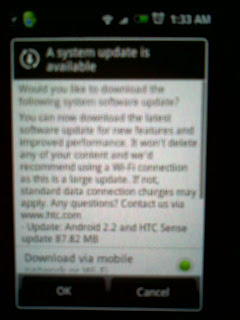
As usual, I did a software updates checking before went to bed after knowing that Europe dudes receive Froyo update for Legend . I did send them (HTC Support) email to ask, twice, first time during my Legend purchase and the second after Europe Legend get Froyo update, guess what, they never sent me reply, not even with official " We actually working on it, however the release date still unknown yet " kind of stuff. what the... Back to story, I receive a big surprise when it pop up with this shining sentence, Update: Androi d 2.2 and HTC sense Update 87.28 MB. Hold a breath, I cancel it, open it again and take a picture. ( Sorry for the awful quality image, use a 2mp mobile that come in handy) What to do next, download Quadrant standard and get my current result. Pop, I get 398 point, which almost bottom of the screen with Nexus one , Galaxy S 2.1 on above and Nexus one 2.2 at the top. ( waiting, waiting....) Whats so nice about Froyo ? Wel...
Changing Default Boot in UBuntu with grub 2
Steps: 1. Open /boot/grub/grub.cfg to check boot items, in my case I want to select Window 7 as default boot. Find for the line: ### BEGIN /etc/grub.d/00_header ### if [ -s $prefix/grubenv ]; then set have_grubenv=true load_env fi set default="Windows 7 (loader) (on /dev/sda2)" if [ "${prev_saved_entry}" ]; then set saved_entry="${prev_saved_entry}" save_env saved_entry set prev_saved_entry= save_env prev_saved_entry set boot_once=true fi 2. Copy "Windows 7 (loader) (on /dev/sda2)" 3. Open /etc/default/grub, find the line GRUB_DEFAULT=0 and change it to GRUB_DEFAULT="Windows 7 (loader) (on /dev/sda2)" 4. Update/boot/grub/grub.cfg using sudo update-grub. 5. Reboot to check the changes. If you are lazy,just install StartUp-Manager in Ubuntu software center or via apt-get
Internet Explorer Application Compatibility VPC Image
If you are a developer but always need to test your code among IE6,IE7, IE8 (yes, IE sucks) while windows only allow one version install in your windows. You might want to try the Internet Explorer Application Compatibility VPC Image which allow you to install different version of IE in your machine(say bye bye to test machine for IE). Download it via link below http://www.microsoft.com/downloads/en/details.aspx?FamilyId=21EABB90-958F-4B64-B5F1-73D0A413C8EF&displaylang=en
My First hackintosh - ideneb 1.5.1

Recently My PC become slower and slower, and I decided to format it. One thing come in my mind, why not I install something else? How about a Mac(fake) in my PC? I had been thinking of installing Hackintosh in my PC for long time. One good site to check your Hardware compatibility, HOW-TO is via Hackintosh .com . After checking My hardware toward the database, I was no luck, My system (similar) wasn't being tried before, I have to be the white mouse to try with it. HERE is my Hardware spec: AMD 955BE ASUS M4A785TD- V EVO mobo Asus ATI HD 5770 22" LG Monitor 4G RAM After some Googling, I decided to use IDeneb 1.5.1 (10.5.7) for my first Hackintosh, it appear to be one of the most famous "distribution" available and there is plenty of tutorial you can find online. To cut it short, I used up 2 1/2 days to bring up all installation,LAN,Sound,and Display problem(G.card) with >20 installation/tried. Below is the things you might nee...
BUYING A KINDLE 3 with Free EBOOK Legally
As per title, look for free ebook? click this link For price $139 = Rm450, I will buy for one if available in Malaysia. Any way to ship it to Malaysia?? The Iriver book reader in lowyat (RM1.2k) is just too expensive for me, I will rather get an Ipad with another RM 800.
Reset Your Gnome Setting whos gone Crazy
This is another problem discovered after I Clear my too much clever auto Saved session in Ubuntu , This problem is simple but effective (bringing in troubles) - It lock your keyboard and partially (sometimes) mouse unusable, it happen randomly. But i found it's pattern, it mostly happen with chrome 6 stable + flash . Anyone have the same problem with me? I'm not sure I was customizing too much; I just install compiz + compiz extra tools + compiz fusion to enable some Expose alike feature in it. Lets give is a try whether this help to fix the problem To reset it, follow the steps below: Open your user home folder (/home/username) Delete the following folder (if any) , These folders are hidden, type ctrl+H to show or via menu bar>view>show hidden files .gnome .gnome2 .gconf .gconfd .metacity (the following I just copied from Resetting Gnome's Settings in Ubuntu , I'm lazy to type my own) If you don’t have access to your...